

Franchisor resource centre / Locations
For franchisors · Locations
Lock what locations can change
Owners can personalise their own estimator. Some things should stay the same across the brand, like the company name, the privacy policy and your colours. Lock those from head office in a couple of clicks.
In short: go to Account. Use Franchise Settings to lock account details, and Design Options to lock colours. Then click Update Details.
Lock account details
Open Franchise Settings
Click Account at the top of your dashboard, then the Franchise Settings tab.
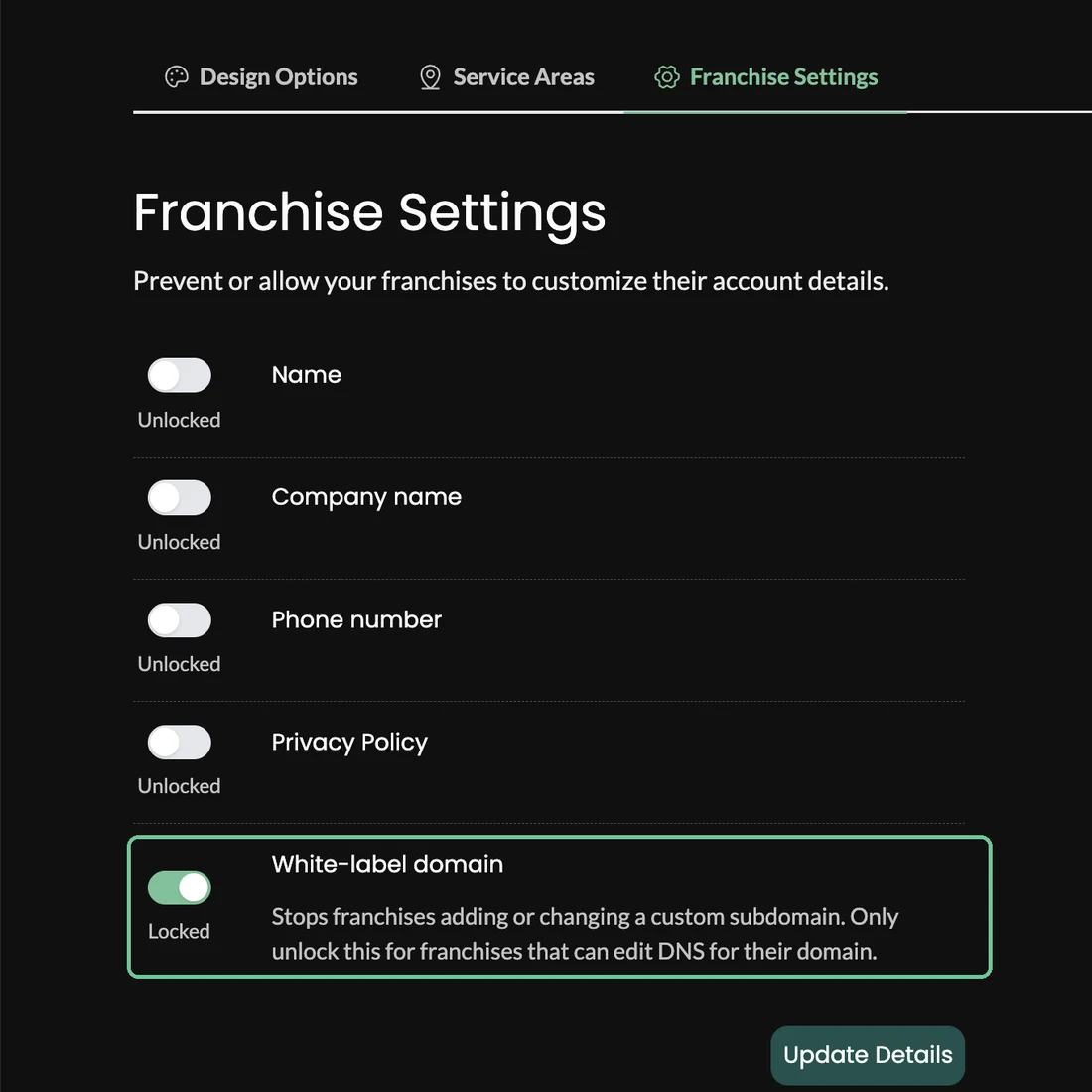
Switch on the locks you want
Each switch shows Locked or Unlocked.
Setting Lock it when Name The contact name should stay as set by head office Company name Every location must use the approved brand and location name Phone number Calls should go to a central number or call centre Privacy Policy Every location must link to the brand's privacy policy White-label domain Locations should not add or change a custom subdomain. Only unlock this for a location that can edit the DNS for its own domain Click Update Details
The locks apply to every location straight away.
Lock your brand colours
Open Design Options
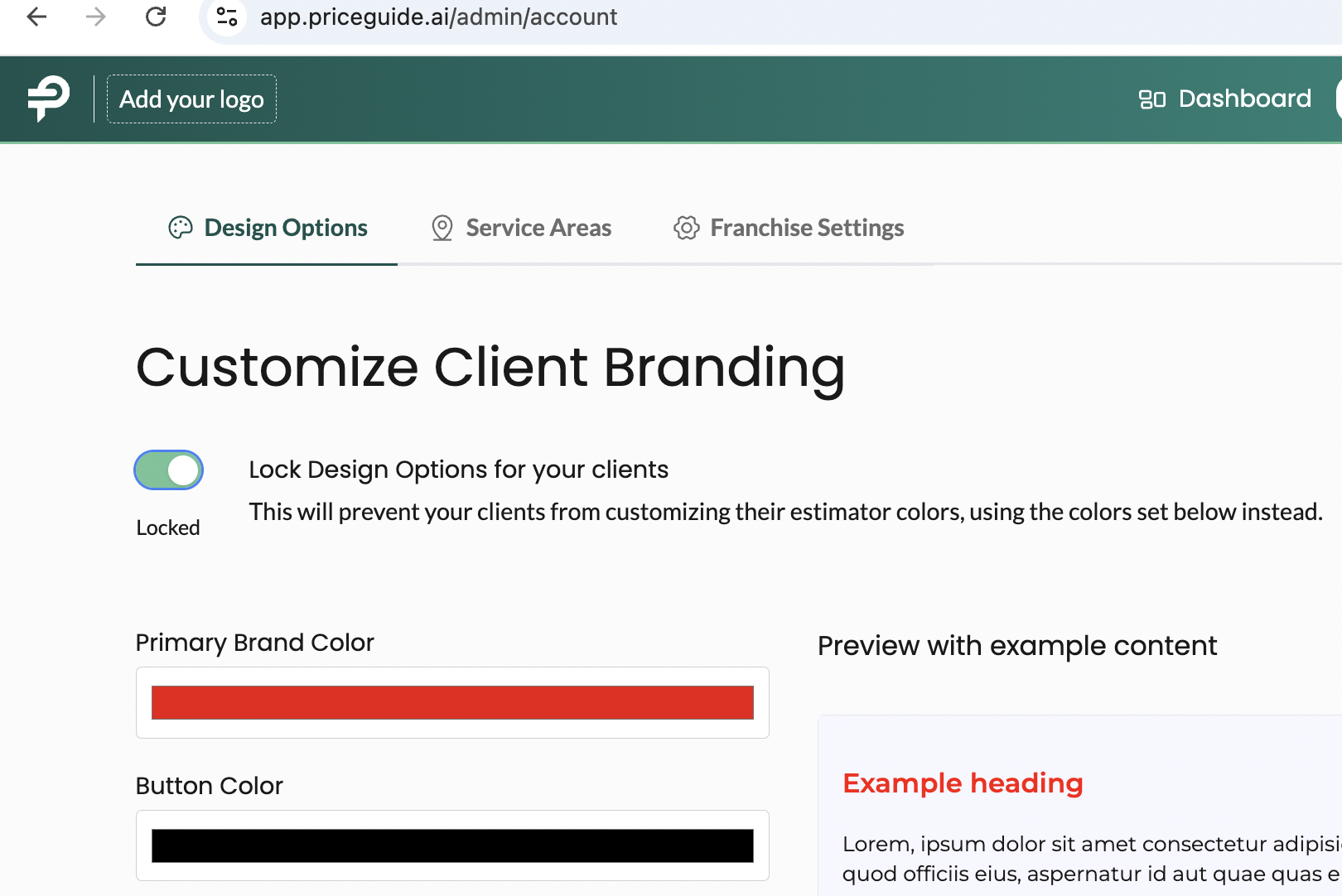
Click Account, then Design Options ("Customize Location Branding").
Set your colours
Primary Brand Color, Button Color, Font Heading Color, Font Paragraph Color and Background Color. The preview shows how the estimator will look.
Switch on "Lock Design Options for your locations"
Locations then use your colours and your logo, and the design settings disappear from their dashboards.
Click Update Details
Logos and fonts. Set your brand logo once from head office, in Account → Design Options, under Results pages. It shows when a location's estimator is opened on its own, such as from a link they share or the results link emailed to a customer. It stays hidden on an embedded estimator, so it doesn't appear twice on a page that already carries your logo. Switching on the design lock keeps every location on your logo and colours. Fonts can't be changed, and translations aren't supported yet.
What owners can still change
Locks cover account details and colours. Owners can still remove services they don't offer, adjust their prices, add their booking link, upload photos and turn on financing. That's how each estimator ends up matching its local market. Pricing and price changes →
More franchisor guides
Your website
Where to put it on your websiteInstall packs and going liveNational page and ZIP routingSEO and AI searchNeed a hand? Email [email protected] with your brand and the location name or code, or use the chat button inside your dashboard. How we support you →
Are you a location owner rather than head office? Your guides are here →