
Feature guide
Let customers pick more than one answer
For questions where the honest answer is "several of these". Each selection adds its own price.
Click the question you want to edit, open its Selection tab, and turn on multiple selections. Customers can then tick as many answers as apply, and the price of each one is added. You can also require at least one selection so nobody skips past it.
Click the question you want to edit, then Selection
Edit your estimator, click the question in the list, and open the Selection tab in the panel on the right.
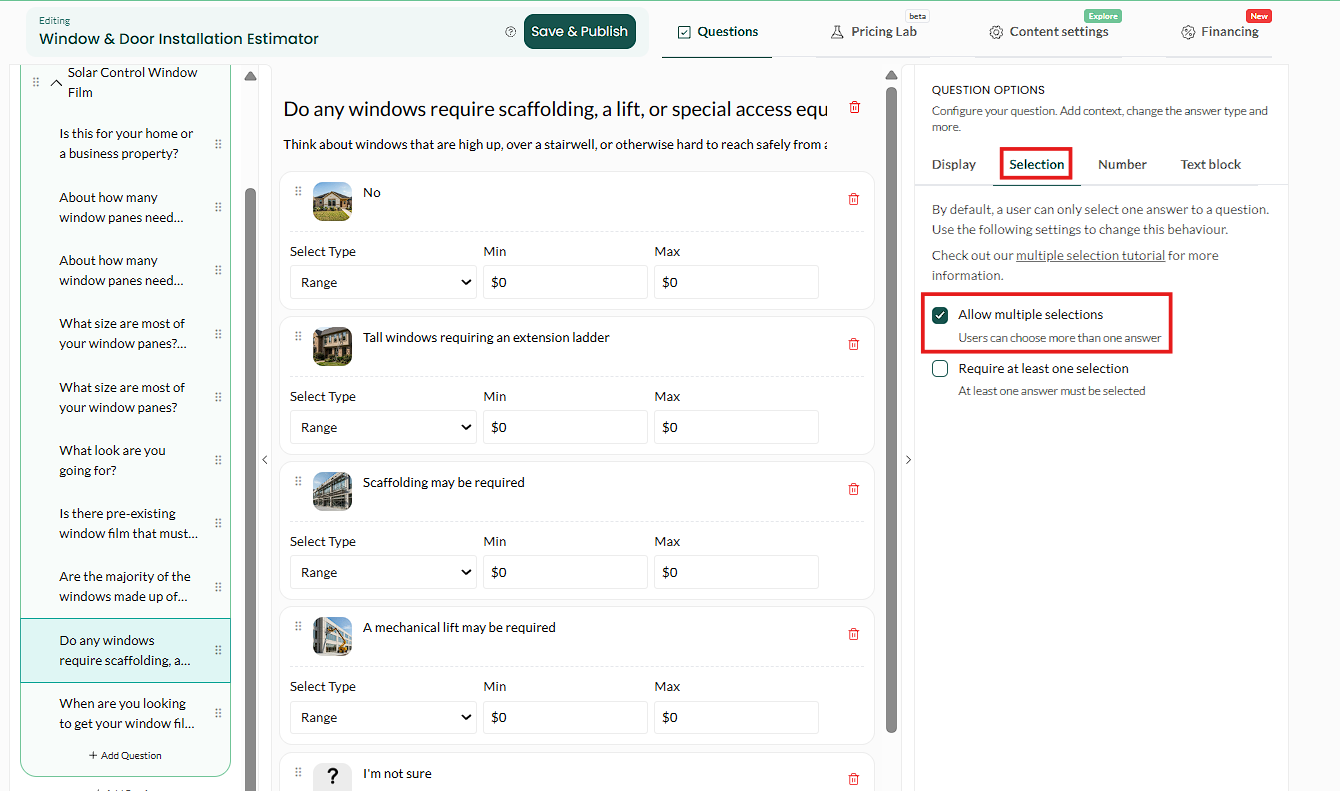
Select your question, then open the Selection tab. Turn on multiple selections, and require one if you want
Turn on Allow multiple selections so customers can tick more than one answer. Turning on Require at least one selection is optional — use it when the question genuinely must be answered to price the job, and leave it off when "none of these" is a legitimate answer.
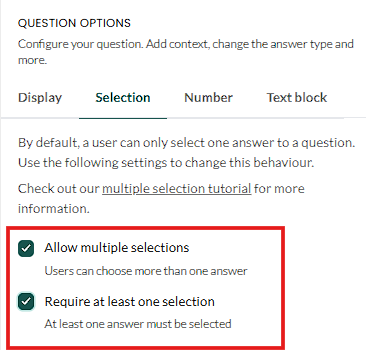
Two toggles: multiple selections, and requiring at least one. Save and publish

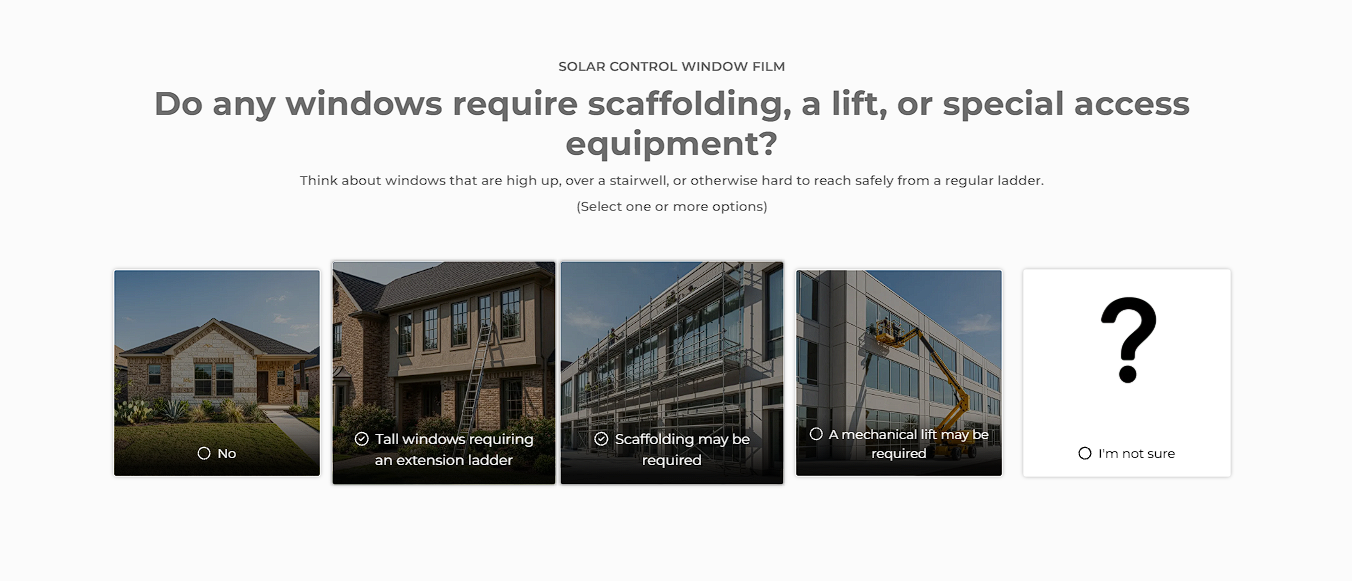
How it looks to the customer — tick as many as apply. What good looks like: you can tick two options and watch the price move by the sum of both.
When to use it, and when not to
| Use it | Do not use it |
|---|---|
| "Which rooms are included?" — genuinely several | "What material do you want?" — only one can be true |
| "Any of these extras?" — add-ons that stack | "How big is the property?" — use a single choice or a number input |
| "Which problems are you seeing?" | Anything where two answers would contradict each other |
The test is simple: if a customer could sensibly tick two boxes and both be true, this is the right setting. If ticking two would be nonsense, it is not.
Watch your pricing when you turn this on. A question with six options that each add $500 can now add $3,000. Re-run the Pricing Lab afterwards and check the premium column has not run away from you.
Does each selection add its own price?
Yes. The prices of everything ticked are added together.
Can I limit how many they pick?
You can require at least one. If you need a hard maximum, split the question or use conditional logic.
Can I make it multiple selection but with no pricing?
Yes. Leave the prices at zero and use it purely to gather information you want before you call.
Email [email protected] with your estimator link if the totals look wrong.