
Feature guide
Show questions only when they apply
Stop asking about the pool to people who do not have one. Shorter estimators get finished, and finished estimators become leads.
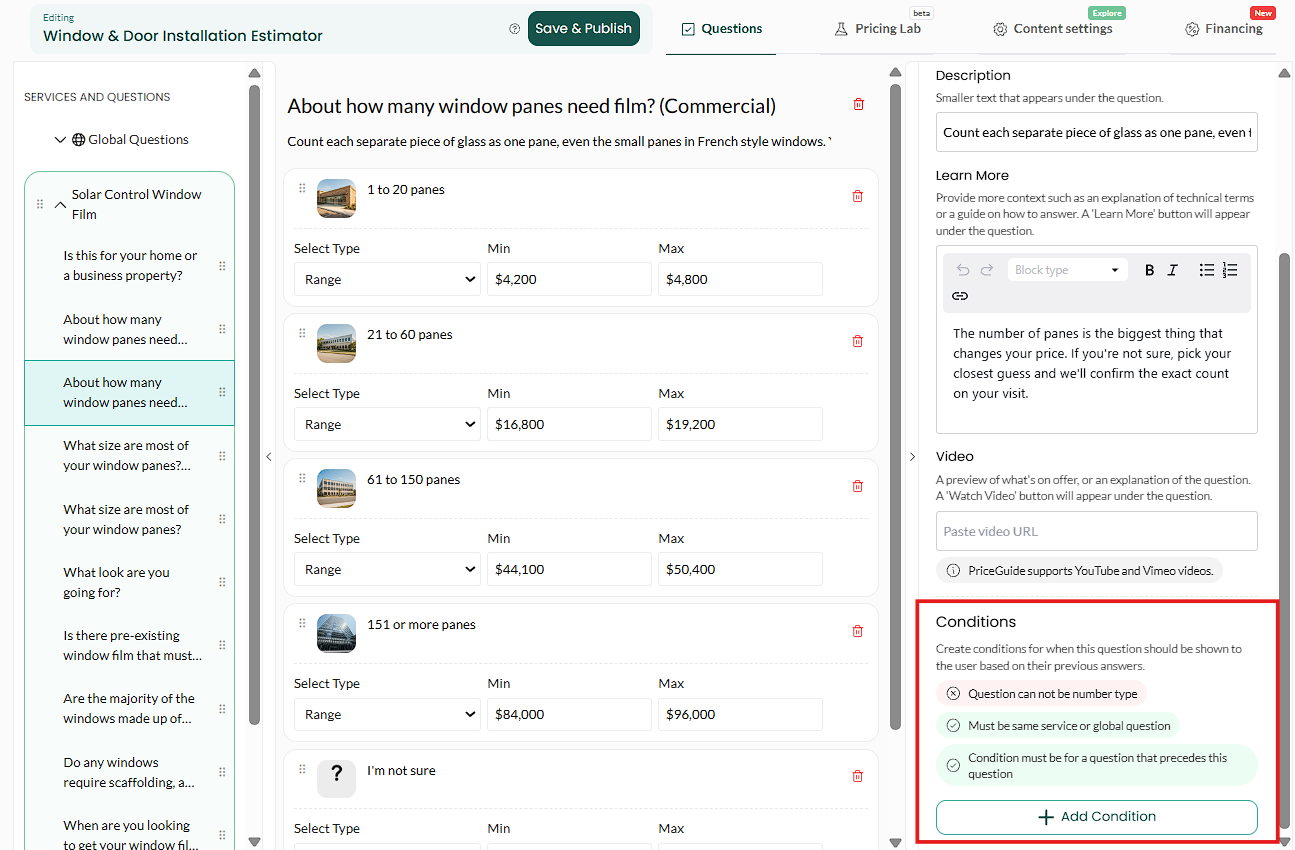
Click the question you want to control, open its Display tab, and scroll down to Conditions. Set it to appear only when an earlier question has a particular answer. The question stays hidden until it is relevant, so each customer only sees the path that applies to them.
Edit your estimator
Click the question, then open Display
Click the question you want to show or hide in the question list on the left, then open the Display tab in Question Options on the right. Conditions live on the question being shown or hidden, not on the one that triggers it. That trips people up.
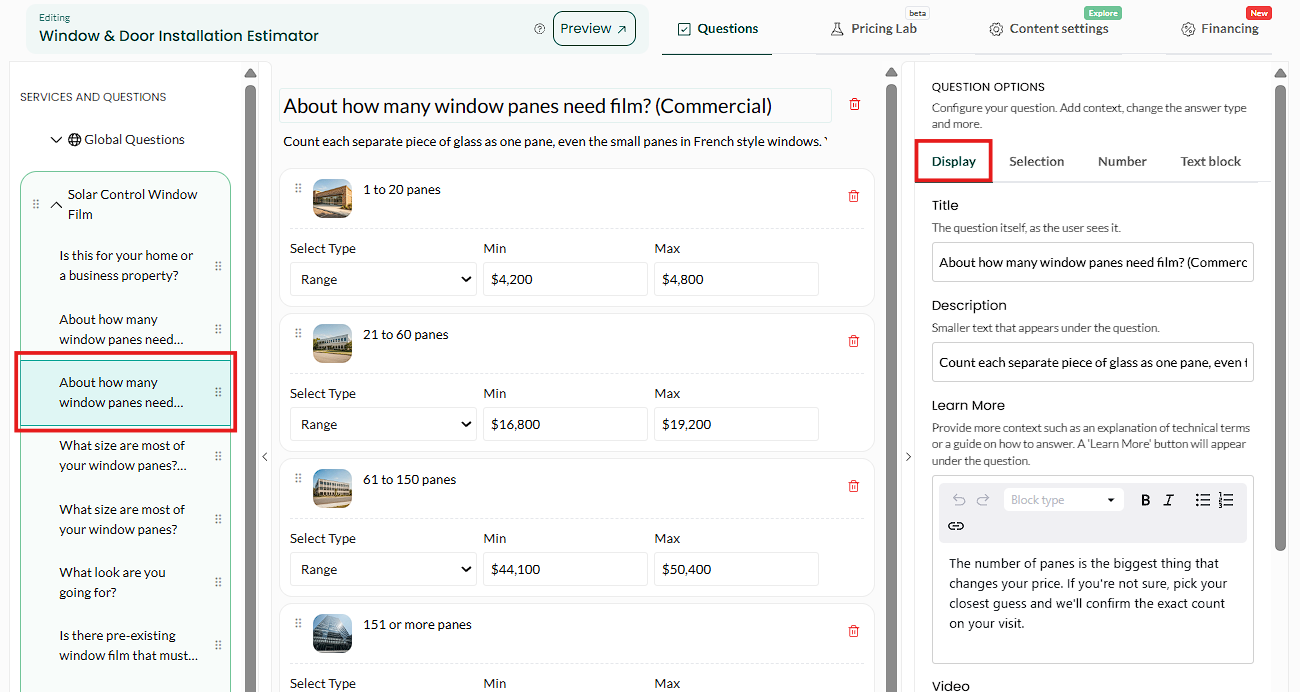
The condition goes on the question you want to control. Scroll down to Conditions
On the Display tab, scroll past Description, Learn More, and Video until you reach the Conditions section.

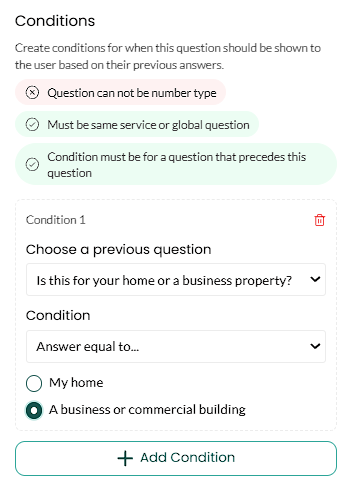
Conditions. Set the condition
Choose the earlier question, and the answer that should reveal this one.

If they answered X, show this question. Add more conditions if you need them
Useful when several answers should reveal the same question.

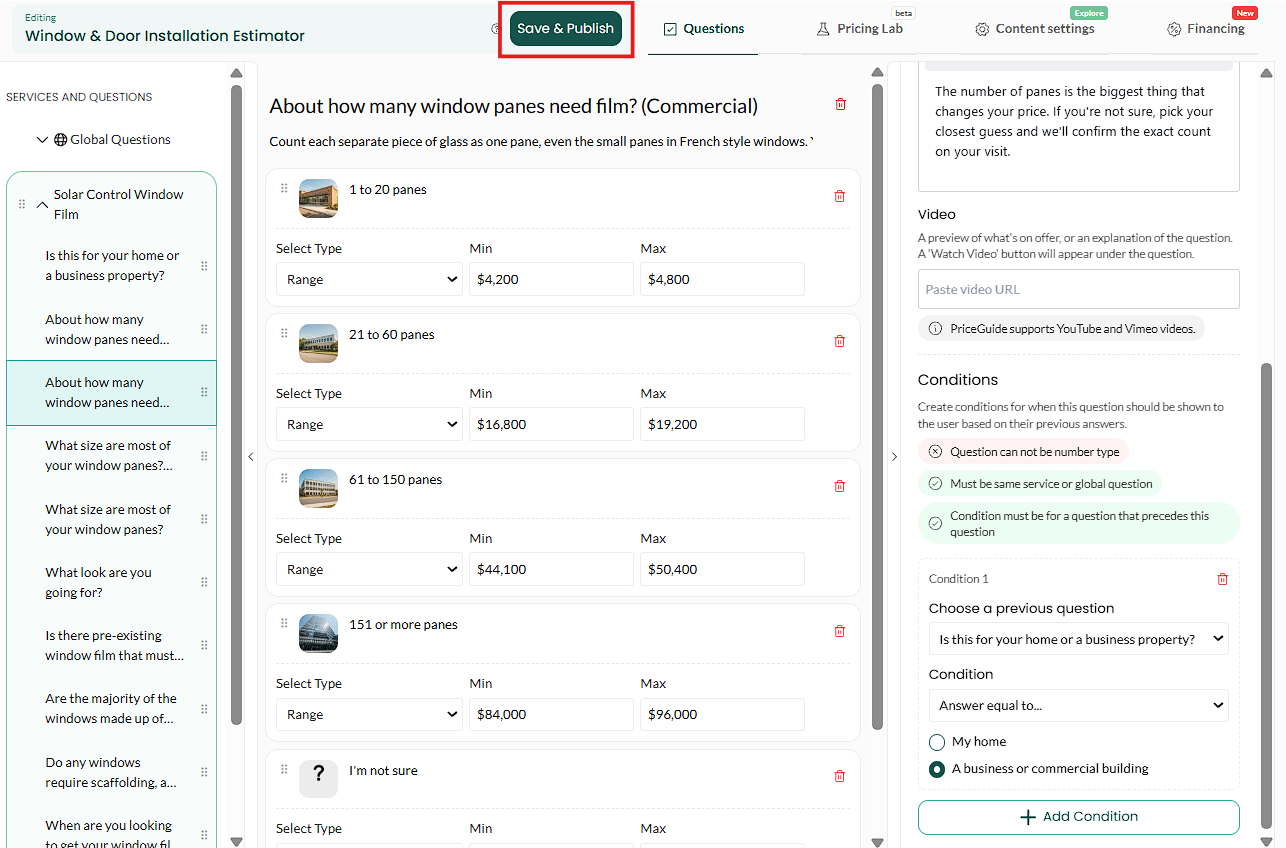
More than one route to the same question. Save, publish, then walk every path
Test each branch, not just the one you had in mind. Broken logic is invisible until a customer finds it.
What good looks like: answer no and the question never appears. Answer yes and it does, in the right place.
Where it earns its keep
| Situation | The condition |
|---|---|
| Service-specific detail | Only ask about roof pitch if they picked a roof service |
| Property type | Skip the garden questions for apartments |
| Follow-up detail | Only ask how many rooms if they said more than one |
| Out of area | Ask a different question if their ZIP is outside your patch |
| Existing customers | Skip questions you already know the answer to |
The real prize is length. Every question you show someone who does not need it is a chance for them to give up. Conditional logic lets you build a thorough estimator that still feels short to each individual customer, because they only ever see their own path.
Keeping it manageable
- Build it working, then add conditions. Get the pricing right on a flat estimator first. Adding logic to something already broken makes it very hard to work out which is at fault.
- Watch out for orphans. A question whose condition can never be true is invisible forever. If a question never appears in testing, check what is meant to reveal it.
- Do not nest too deep. Conditions that depend on conditions get hard to reason about. Two levels covers almost everything.
- Re-run the Pricing Lab after adding logic, since hidden questions change which combinations are possible.
Does a hidden question still affect the price?
No. If the customer never sees it, it contributes nothing.
Can I base a condition on more than one earlier answer?
Yes, you can add multiple conditions.
Can I hide a whole service?
Conditions apply to questions. To route people between services, make the first question a service chooser and hang everything off that.
Why is my question never showing?
Almost always a condition pointing at an answer that was renamed or removed afterwards. Open the condition and check the answer still exists.
Logic behaving oddly? Email [email protected] with your estimator link and which path is wrong.