
Setup guide
Where to put your estimator, and what to call the menu link
The words in your menu decide whether anyone clicks. Here is the placement that works, the wording that works, and the wording that quietly kills it.
Put your estimator in your main navigation as a top-level item called Instant Pricing or Get a Price, and put a matching button in your homepage hero. Then add it to every service page. Those three placements do almost all the work. Burying it in a dropdown, the footer, or a page called "Resources" is the same as not having it.
People will not hunt for a pricing tool. They scan your navigation for a couple of seconds looking for the word "price", and if they do not see it they go back to Google and open the next contractor.
The five placements, in order of what they are worth
| Placement | Why it matters | Effort |
|---|---|---|
| 1. Top-level main navigation | The only place people actively look. A top-level item beats the same link inside a dropdown, because a dropdown requires someone to already suspect it exists. | Low |
| 2. Homepage hero button | Catches the visitor at the exact moment they are deciding whether to stay. Works best as a second button next to your main call to action, not instead of it. | Low |
| 3. Every service page | Highest intent traffic on the site. Someone reading your kitchen remodel page is thinking about a kitchen remodel. Put the estimator halfway down and again at the bottom. | Medium |
| 4. Contact and thank-you pages | Anyone who has just filled in a contact form is willing to do one more thing. Anyone who bounced off the contact form was probably scared of the commitment, and an estimate is a smaller ask. | Low |
| 5. Footer | Worth having so it is on every page. Worth nothing on its own. If the footer is your only placement, treat yourself as not having done this. | Low |
What to call it
This is the part almost everybody gets wrong, and it costs more clicks than placement does.
Labels that work
| Label | Why |
|---|---|
| Get Instant Price | What we recommend, and what our own install guide uses. It is an instruction rather than a label, and it makes the promise explicit. |
| Instant Pricing | Best all-rounder. Contains the word people scan for, and "instant" answers their real objection, which is that getting a price normally means a phone call. |
| Get a Price | A clear instruction. Reads as an action rather than a section of the site. Strong as a button, slightly informal in a menu. |
| Pricing | Safe and obvious. Loses the promise of speed, but nobody will misunderstand it. |
| Instant Estimate | Accurate to what the tool does. Good when your work varies enough that "pricing" would imply a fixed price list. |
| See Prices | Low commitment. Useful if your audience is nervous about being sold to. |
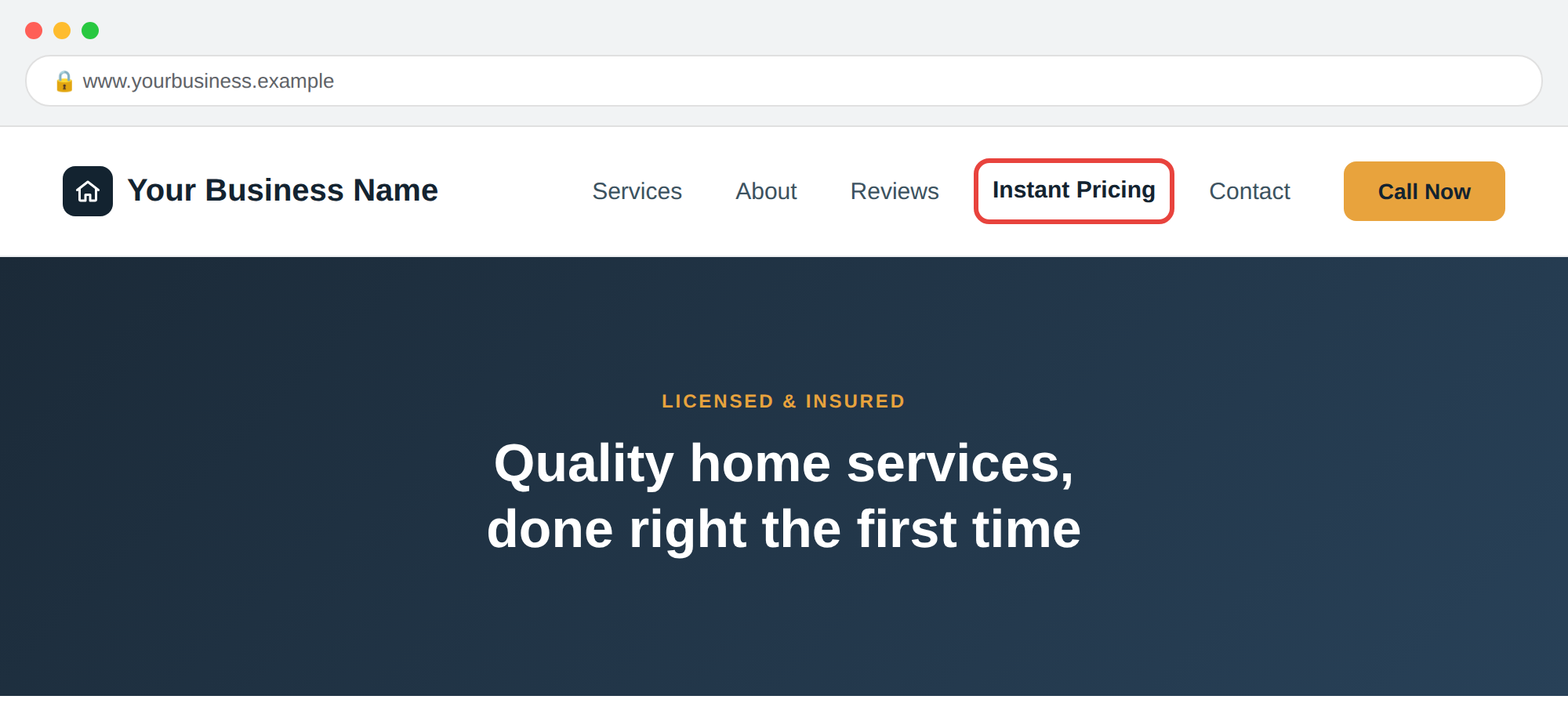
A top-level item, not tucked inside a dropdown.
Labels to avoid, and why
| Label | The problem |
|---|---|
| Calculator | Sounds like work. People associate it with entering measurements they do not have. |
| Quote / Get a Quote | A quote is a fixed, binding number. This tool gives an estimate range. Using "quote" sets an expectation you will have to walk back on the phone, and it is the single fastest way to sour a good lead. |
| Tools / Resources | Reads as a blog section. Nobody clicks "Resources" wanting a price. |
| Estimator | Fine as a page title, weak as a menu item. It describes the thing rather than what the visitor gets. |
| Your company's product name | Nobody knows what it means. Never make a visitor decode a menu item. |
House rule worth borrowing: we avoid the word "quote" in our own copy, and we would suggest you do the same here. An estimate opens a conversation. A quote ends one, and if the real number lands higher you have a problem that started with a word choice.
The homepage hero
Two buttons, side by side. Your existing primary call to action stays as it is, and the estimator goes next to it as a secondary button.

The estimator sits alongside your main call to action, not in place of it. People who are ready to talk still can.
Add one line of supporting text under the buttons. Something concrete beats something clever:
See a realistic price range for your project in 90 seconds. No phone call needed.
Service pages
The highest-value placement nobody does. On each service page, put the estimator twice:
- Once about a third of the way down, right after you have described what the service involves and just as the reader starts wondering what it costs.
- Once at the very bottom, as the closing call to action.
If you have several services, you can send each page to a different estimator, or to the same one. Either works. Sending them to the right starting question is better than sending them all to a generic front door.
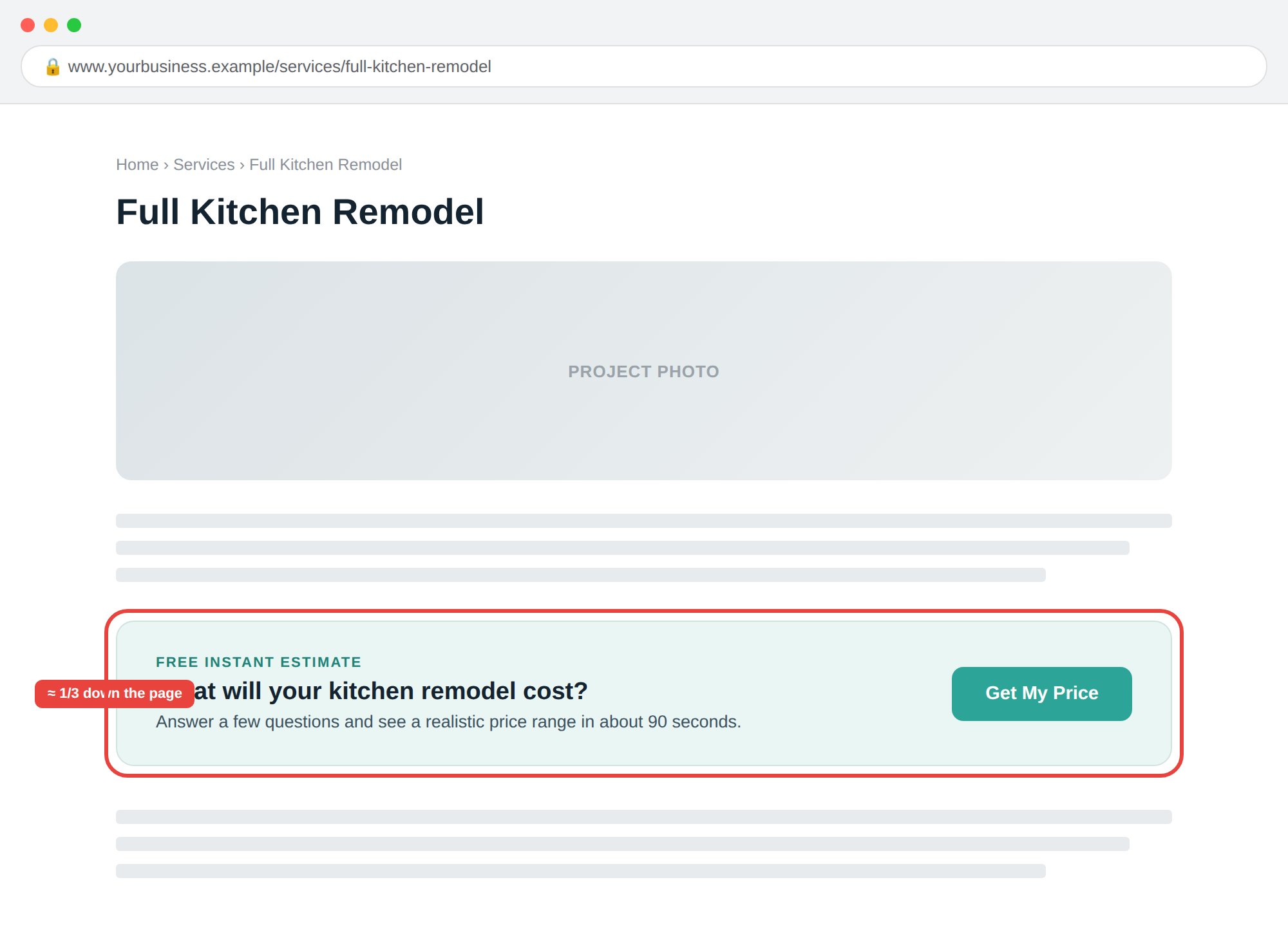
On a service page, the reader is already thinking about cost by this point.
Mobile rules
Most of your visitors will be on a phone, and mobile is where placement quietly fails.
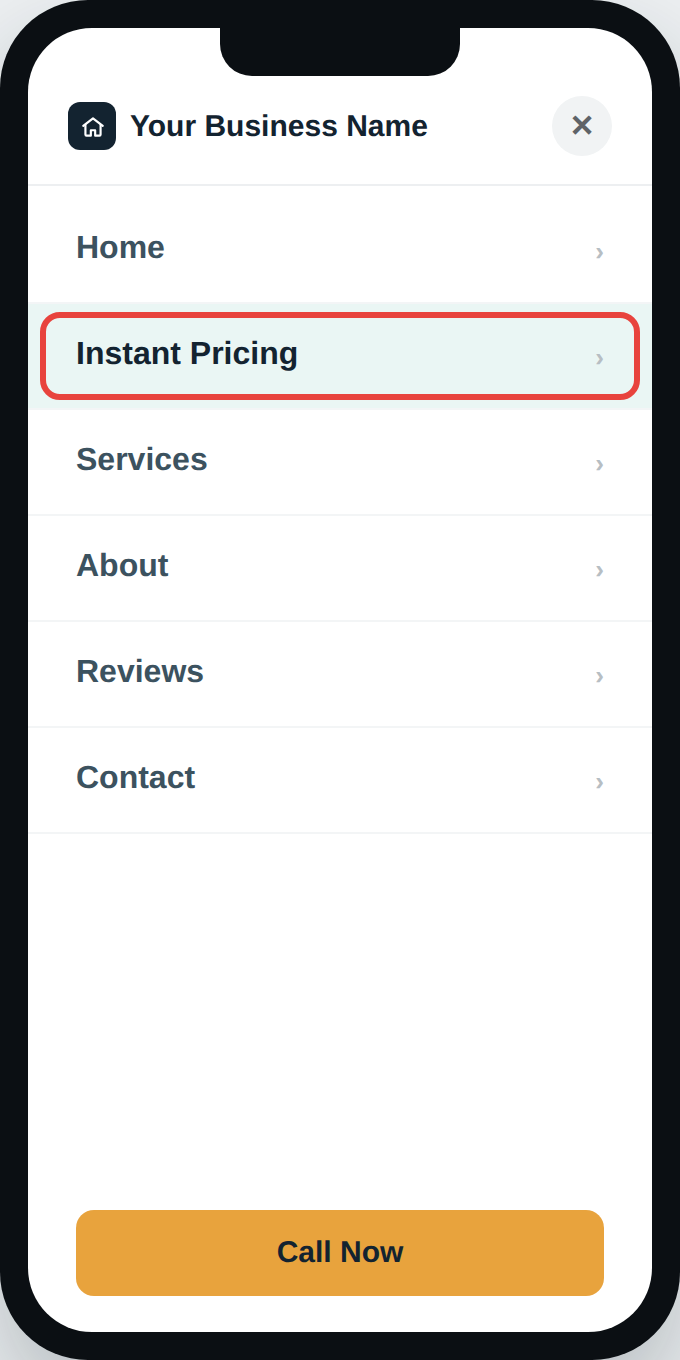
Check the item survives on a phone. Some themes silently drop menu items.
- The menu item must be inside the hamburger menu, near the top of the list. Check it. Some themes silently drop items on small screens.
- The hero button must be visible without scrolling on a 390 pixel wide screen. Test on an actual phone, not by dragging your browser window narrower.
- The embedded estimator must not be cut off or need sideways scrolling.
- Tap targets need to be a proper size. A menu item that is hard to hit with a thumb does not get hit.
What to send your web person
Paste this into an email. It gives them everything they need in one go, so you do not end up in a five-message back and forth.
Hi,
We have added an online pricing estimator. Please can you make these four changes:
1. Add a top-level item to the main navigation called "Instant Pricing", linking to [your link]. Top level please, not inside a dropdown.
2. Add a secondary button in the homepage hero with the same label and link, next to the existing call to action.
3. Add the same link to each service page, once about a third of the way down and once at the bottom.
4. Add it to the footer as well.
The link works as-is on any site, so no plugin or special setup is needed. If you would rather embed it in the page than link out, there is an embed code available and we can send full install instructions.
Thanks,
If you would like us to write that install guide for them properly, with screenshots and the embed code for their specific platform, request a free Agency Pack. We build it and you forward it. There is no charge and you do not have to be a customer.
What good looks like
- You can find the estimator from your homepage in one click, on a phone, without opening a dropdown.
- The word "price" or "pricing" appears in your main navigation.
- Every service page has a route to it.
- A stranger given ten seconds on your homepage could tell you where to get a price.
Troubleshooting
| What you see | What it means |
|---|---|
| Menu item does not appear on mobile | The theme is limiting how many top-level items show. Remove or demote a lower-value item rather than nesting the estimator in a dropdown. |
| Traffic to the page but very few completions | Usually the page has too much preamble above the estimator. Move it up so it is visible without scrolling. |
| Plenty of clicks on the menu item but people leave immediately | The label promised something different from what the page delivers. If the label says "Pricing" and the page opens with three paragraphs about your company history, that is the cause. |
| Estimator cut off on mobile | An iframe height or container width problem, not a placement problem. |
Should the menu item open the estimator directly, or a page with the estimator on it?
A page on your own site with the estimator embedded is better, because you keep the visitor on your domain and you can add a line of reassurance above it. Linking straight to the estimator is a perfectly good interim step and gets you going today.
Will showing prices lose me jobs?
It loses you the enquiries that were never going to buy at your prices, which is the point. You spend less time on estimates that go nowhere. See understanding lead quality with a pricing estimator.
Can I test two different menu labels?
Yes, and it is worth doing if you have the traffic. Run one for a fortnight, then the other, and compare clicks in Google Analytics. See tracking your estimator in Google Analytics.
Where should it go if I only sell one service?
Straight in the hero as the primary button. With one service there is no risk of sending someone to the wrong place, so the estimator can carry the whole homepage.
Want a second opinion on your site? Email [email protected] with your web address and we will tell you where we would put it.