
Feature guide
Good, better, best pricing with percentages
Bronze, silver and gold. Standard, premium and luxury. When a choice should scale the whole service rather than add a flat amount, use a percentage.
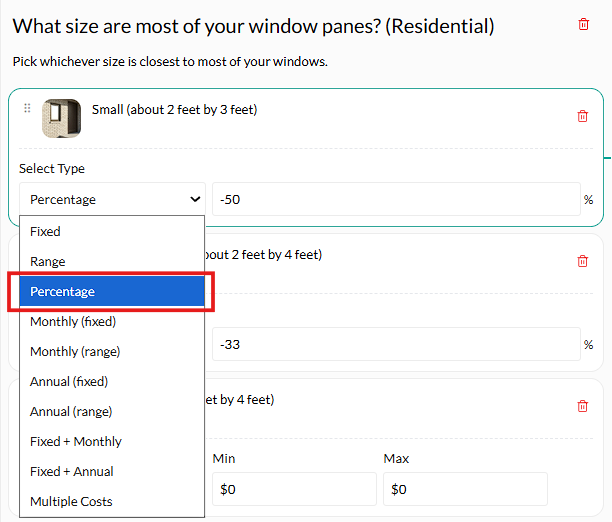
Set the question type to Percentage and give each answer a percentage instead of a fixed amount. The percentage applies to that service's total, so a premium finish costs proportionally more on a big job than a small one, which is how it actually works in real life.
Why a percentage rather than a fixed amount
A premium finish on a small bathroom does not cost the same extra as a premium finish on a whole house. Adding a flat $2,000 overcharges the small job and undercharges the big one. A percentage tracks the size of the work automatically.
Percentages apply last. Base cost, then fixed additions, then ranges, then percentages on the service total. So 10% on a $250 to $350 service gives $275 to $385. Knowing the order is what stops surprises.
Get the service pricing right first
Percentages multiply whatever is already there. If the base is wrong, the percentage makes it wrong faster.
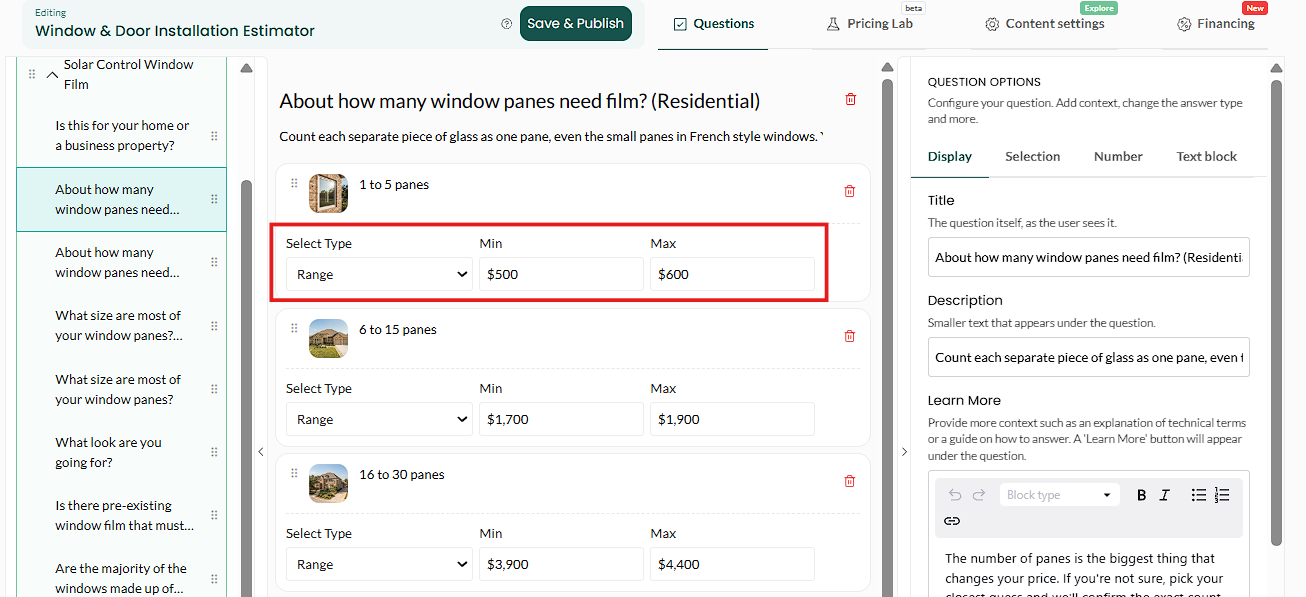
Get this right before adding tiers. Add your tier options
Standard, premium, luxury. Or bronze, silver, gold. Name them the way your customers would.

Three tiers is usually the sweet spot. Change the question type to Percentage and assign your values
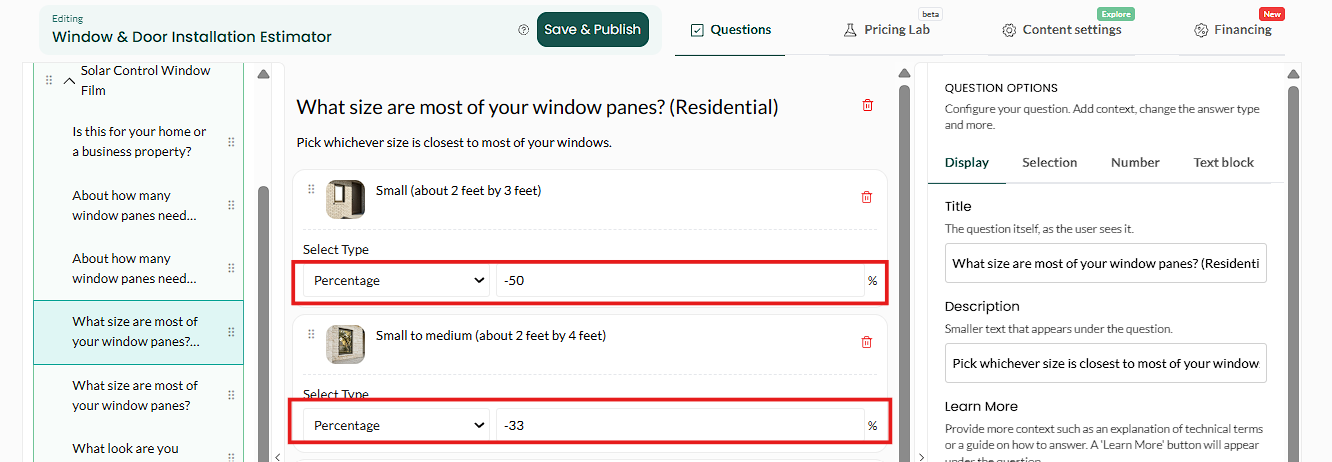
Switch the question's answer type to Percentage. Your baseline tier is usually 0%, meaning no change. Then add for the ones above it, and subtract for anything below.

Zero for baseline, positive above, negative below. A typical setStandard: 0%
Premium: 25%
Luxury: 60%
The typo that hurts. Entering 2,000 instead of 20 applies a twenty-times multiplier to the whole service. This is the single most common pricing error we see, and it is why the Pricing Lab exists. Always re-run it after adding percentages.
Save, publish and check

The tier changes the whole service total. What good looks like: switching tiers moves the price proportionally, and the premium figure is one you would honour.
Can I use a negative percentage?
Yes. Useful for a budget tier priced below your standard.
Does it apply to the whole estimate or one service?
The service that question belongs to, not the whole estimate.
Can I mix percentages and fixed amounts?
Yes. Fixed amounts apply first, percentages last.
How many tiers?
Three. Two feels like a trick, four makes people hesitate, three is the shape people are used to.
Email [email protected] if a percentage is doing something you did not expect.